


01
Fleet, drivers and zones
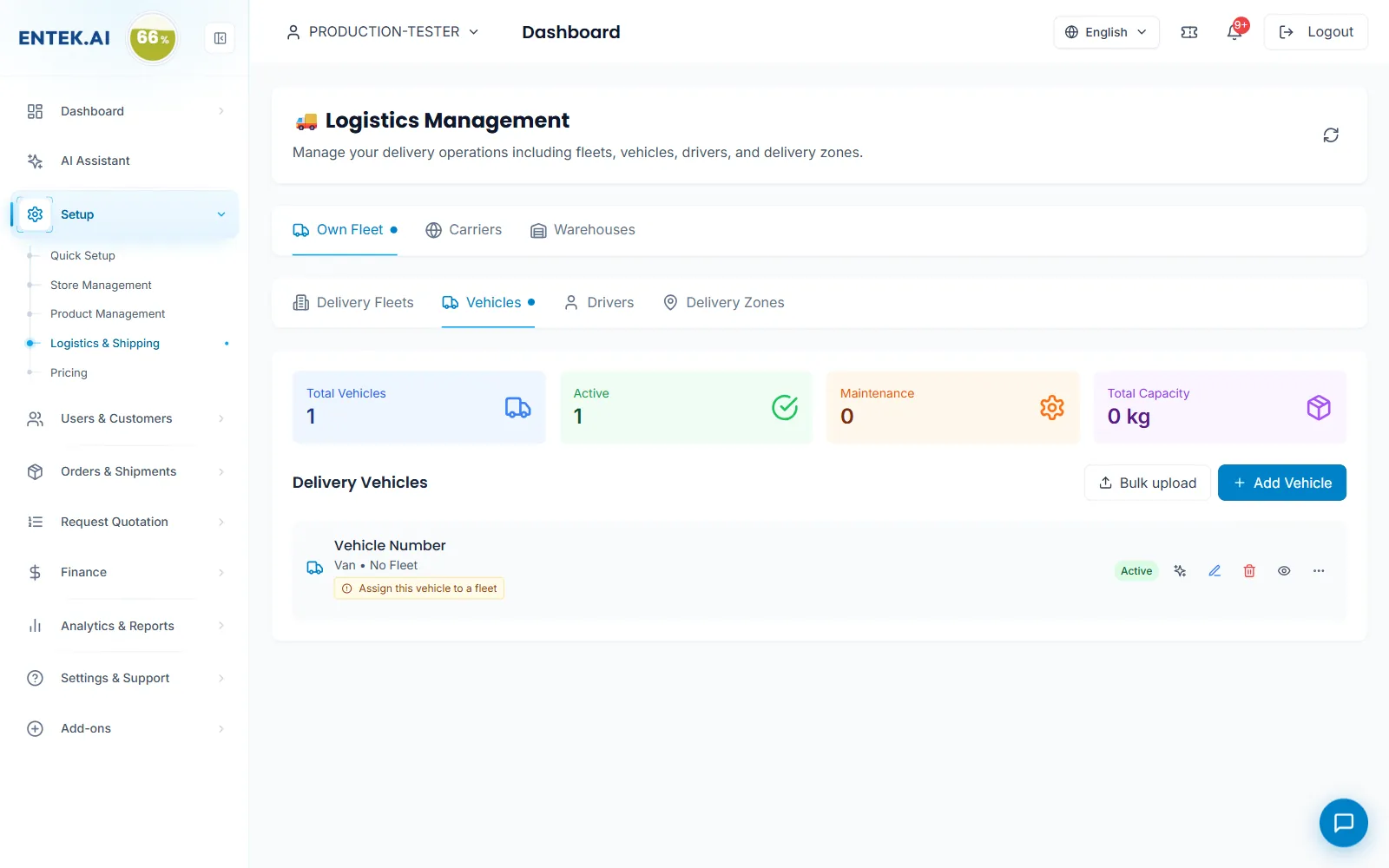
Add vehicles one by one or in bulk, assign them to fleets and drivers, and see capacity and maintenance at a glance.
supplier.entek.ai
Loading…
Sell
By need
By need
Win more RFQsReach new enterprise buyersPrice for every buyer and zoneDeliver on time, every timeGet paid without chasingKeep customers coming backPaperwork done for youRun your team safelyConnect your ERP and AIKnow what’s workingBy industry
Energy & fuelOil & gas servicesConstructionManufacturingFacilitiesHealthcareAll featuresOrders & delivery
Run your own fleet or carriers, keep warehouses and zones in order, manage every order to its branch and close each delivery with the buyer’s code.
Add vehicles one by one or in bulk, assign them to fleets and drivers, and see capacity and maintenance at a glance.
Orders arrive with the buyer’s branch, products, payment and priority. Filter, update the status and follow the trend for the week.
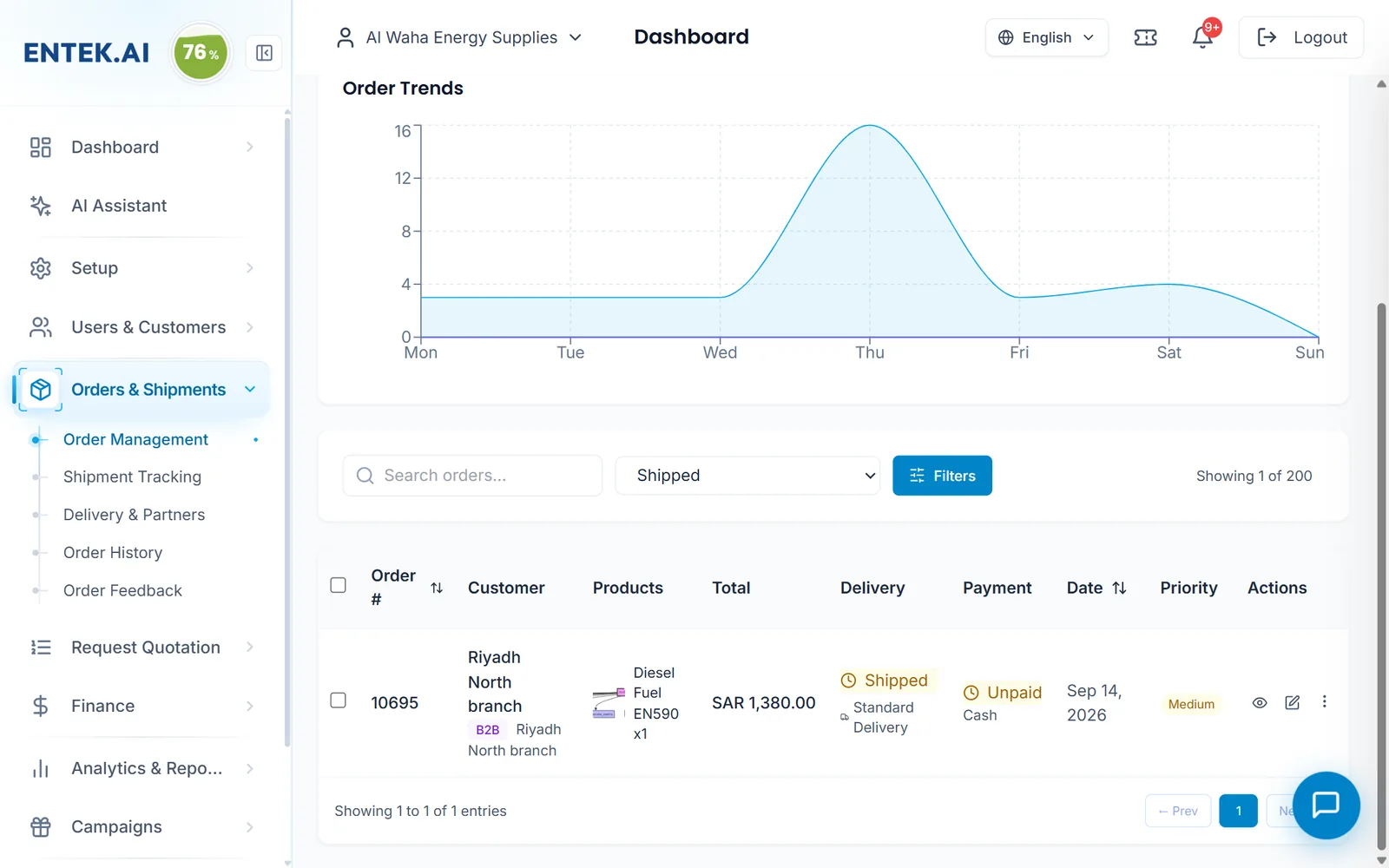
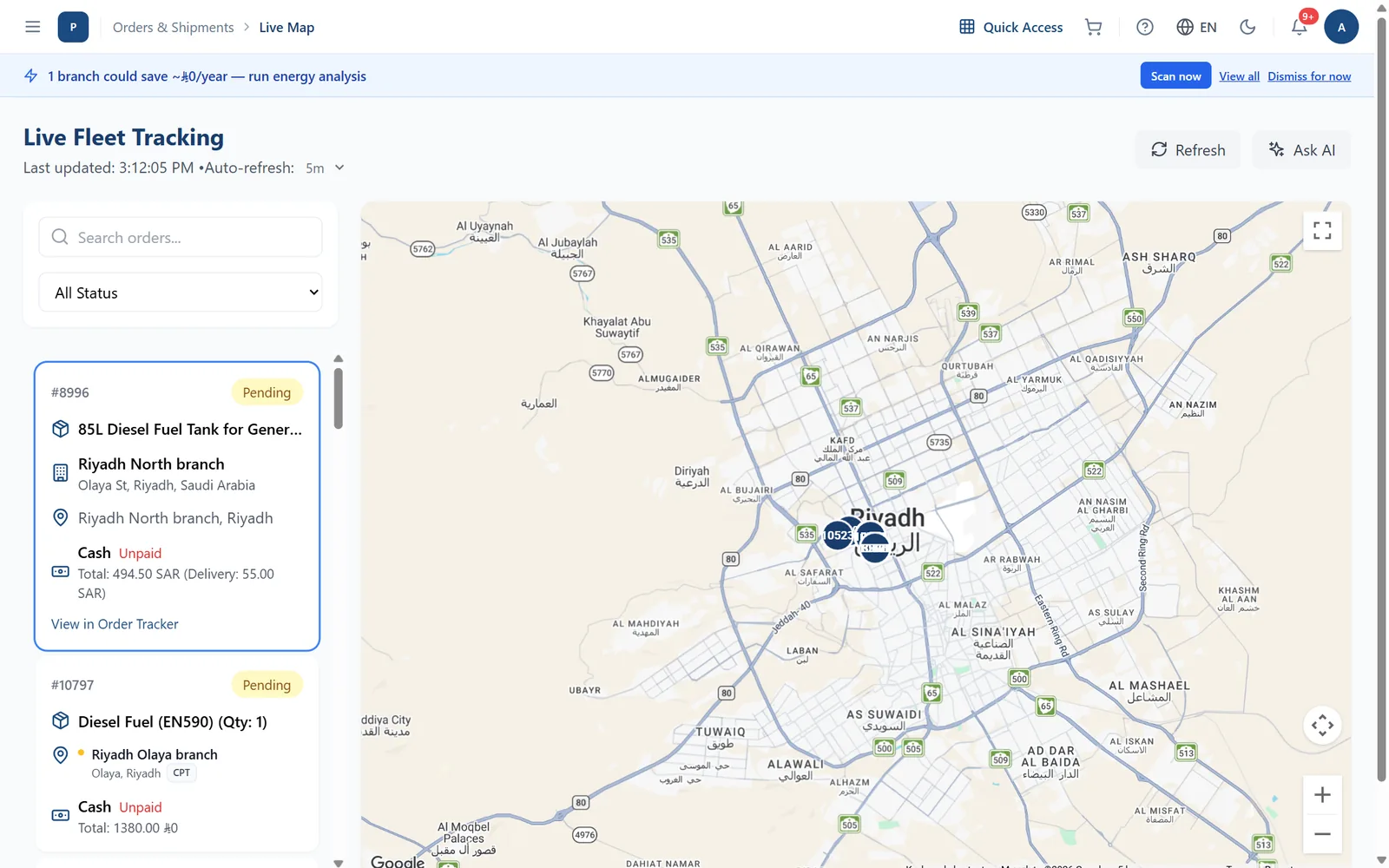
Track order status from dispatch to delivery.
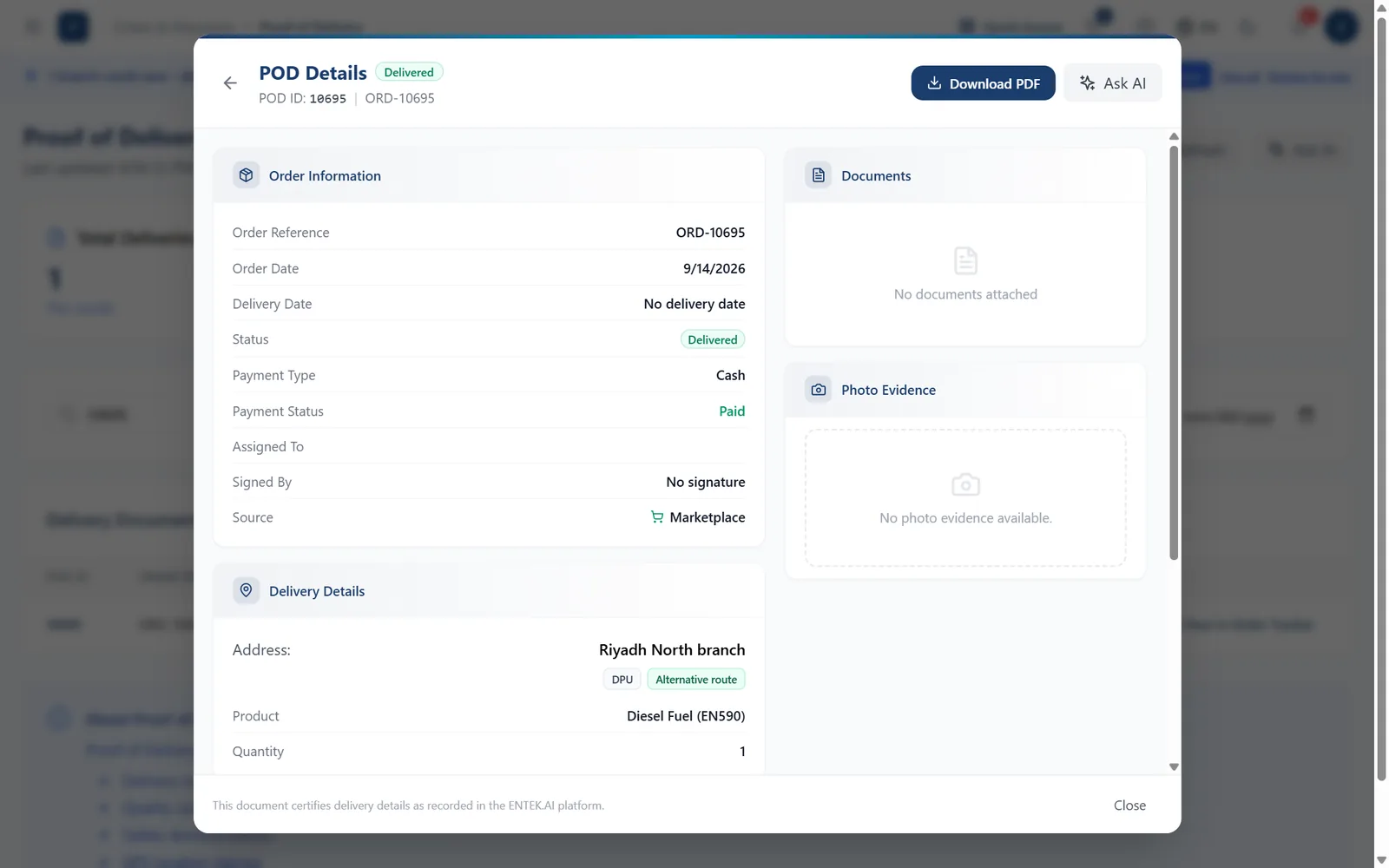
Each delivery closes with the buyer’s code and a delivery record you can download as a PDF.
RuleThe buyer shares the code only after the goods are delivered and checked.
Screens from the ENTEK Supplier portal. Some show example data.
Yes. Logistics has Own fleet, Carriers and Warehouses.
Add a warehouse as a pickup point for Ex Works and FCA handovers.
On the order, with the code, date and documents, for both sides.
Join the platform where enterprises in every sector source, order and pay. Start free, get verified, and grow without limits.