


01
Set up with the assistant
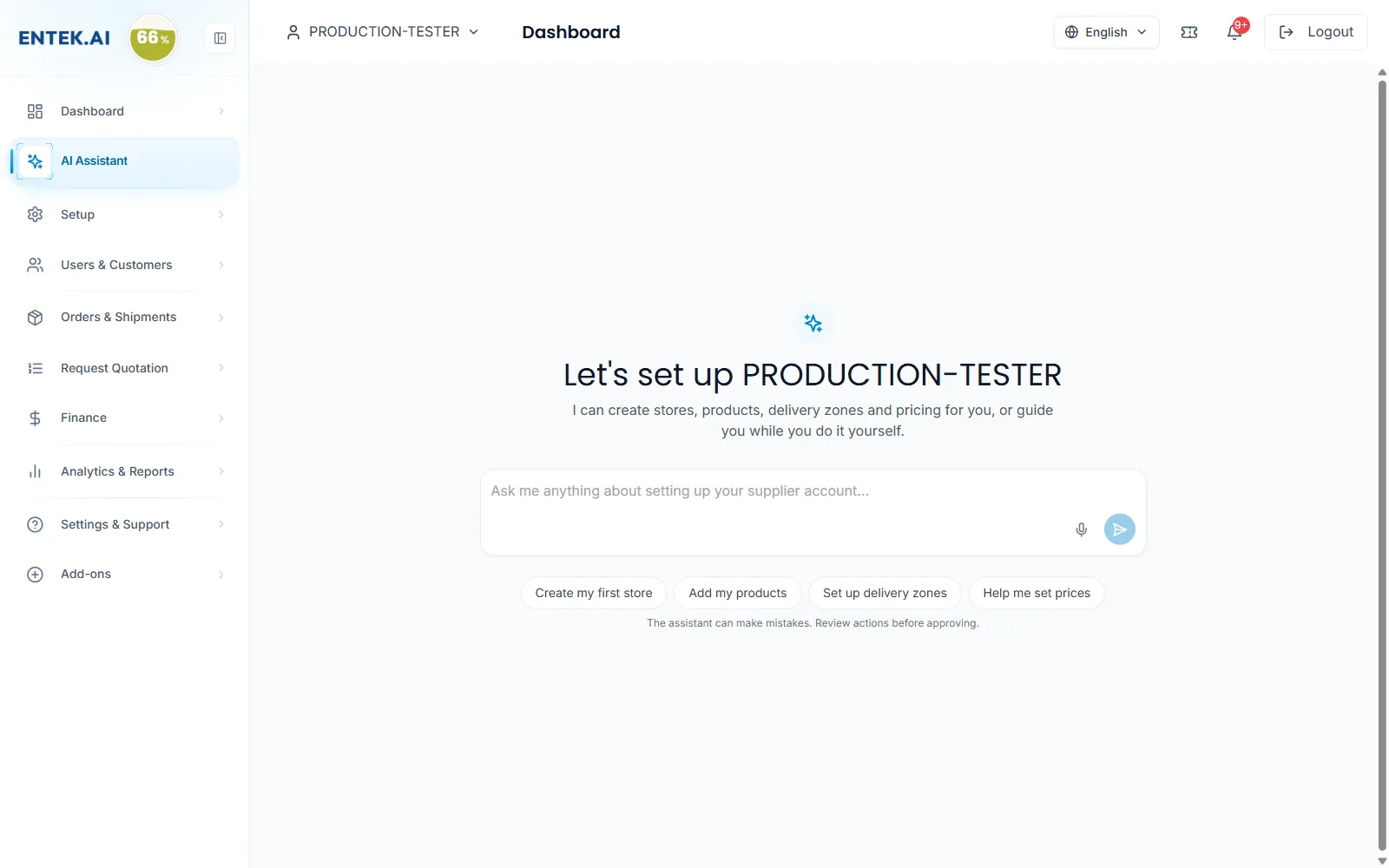
Ask in plain words: create my first store, add my products, set up delivery zones, help me set prices.
supplier.entek.ai
Loading…
Sell
By need
By need
Win more RFQsReach new enterprise buyersPrice for every buyer and zoneDeliver on time, every timeGet paid without chasingKeep customers coming backPaperwork done for youRun your team safelyConnect your ERP and AIKnow what’s workingBy industry
Energy & fuelOil & gas servicesConstructionManufacturingFacilitiesHealthcareAll featuresAI, API & ERP
Ask the ENTEK Assistant to create stores, add products, set up zones or help with prices. Connect Claude, ChatGPT or your ERP with API and MCP tokens.
Ask in plain words: create my first store, add my products, set up delivery zones, help me set prices.
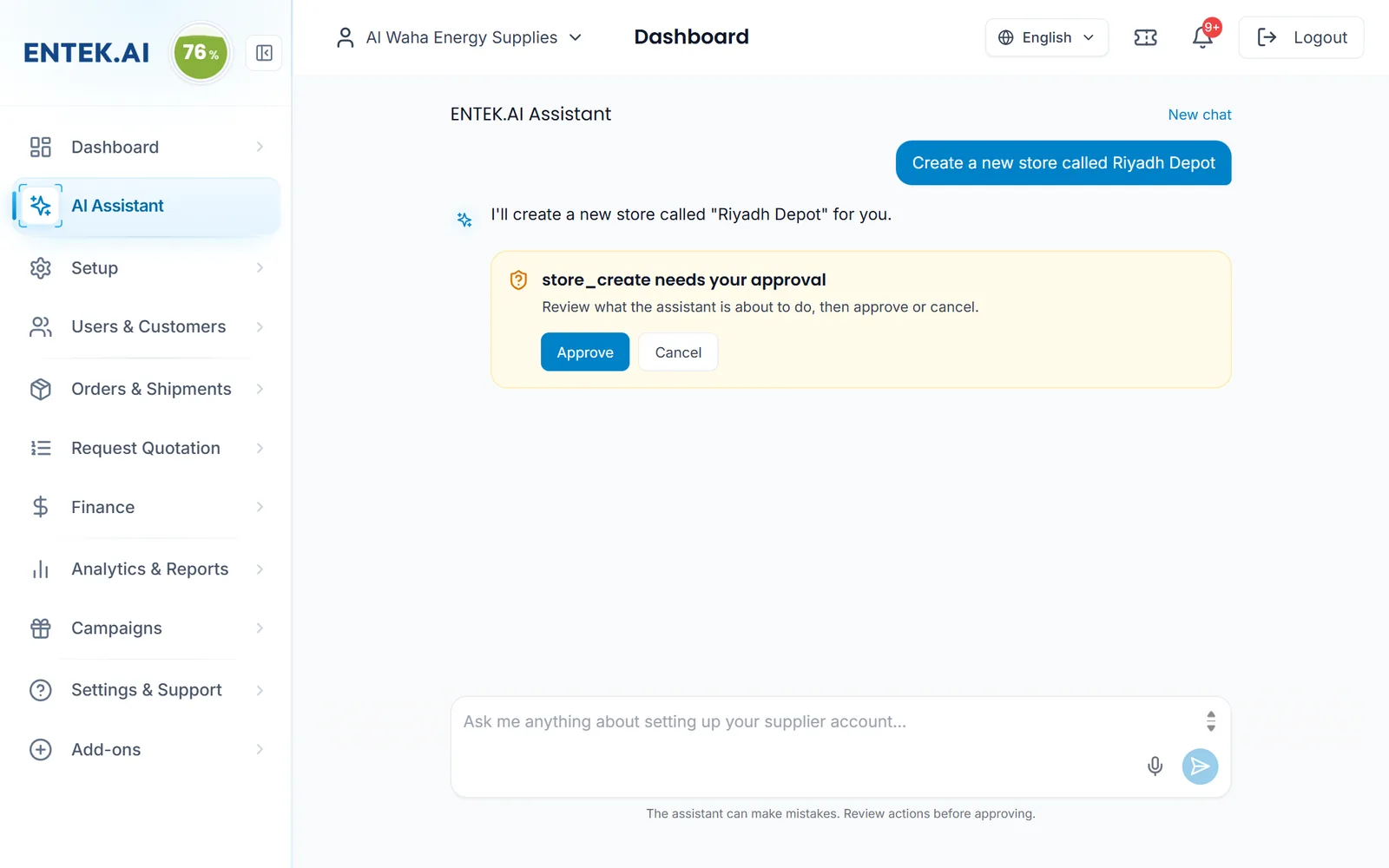
Before the assistant creates or edits anything, it shows what it is about to do and waits for Approve or Cancel.
RuleThe assistant asks before it changes anything.
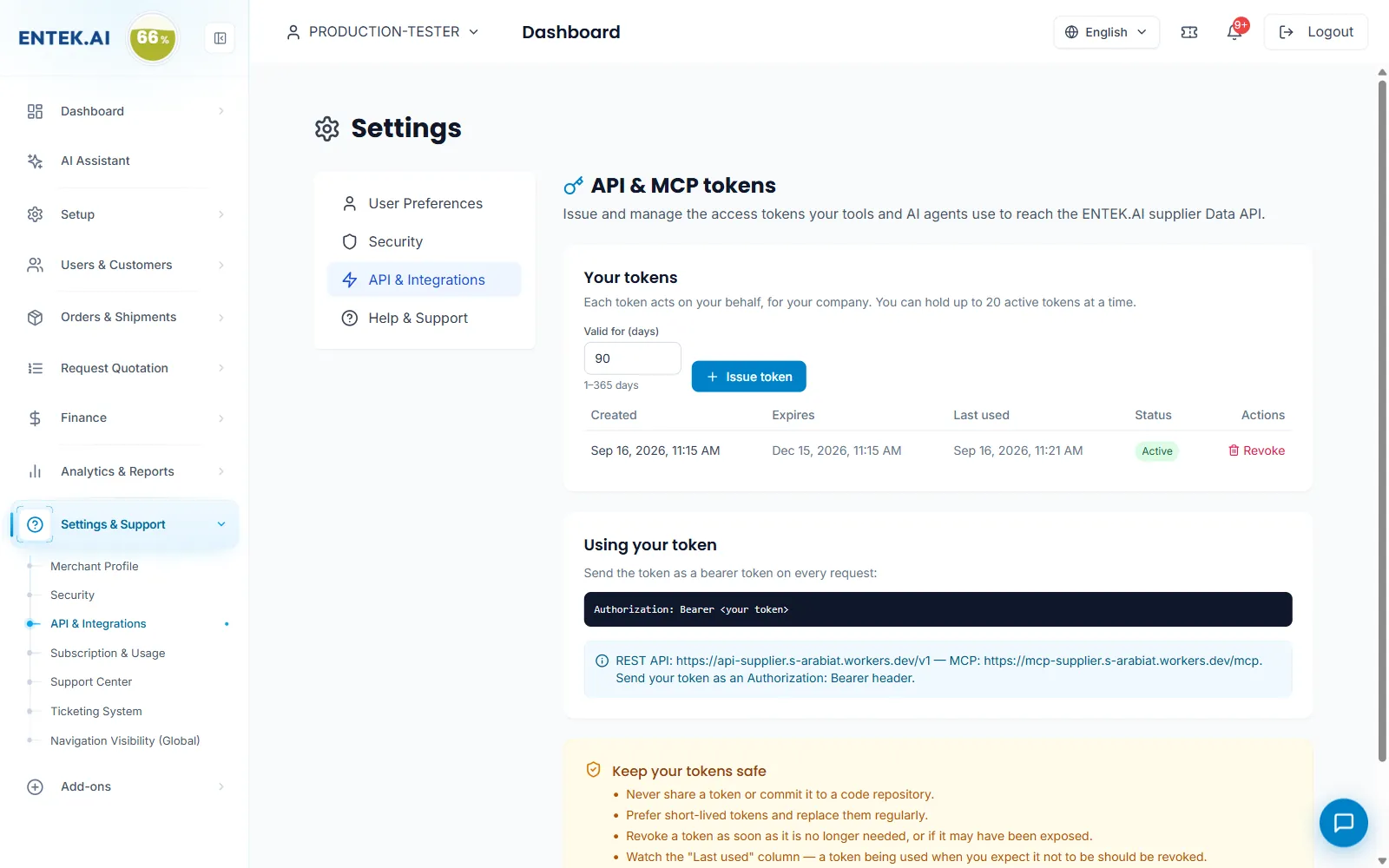
Issue tokens for your ERP, Claude, ChatGPT or your own agents. Choose how long each token is valid and revoke it any time.
Screens from the ENTEK Supplier portal. Some show example data.
Any client that supports MCP, such as Claude or ChatGPT, or your own system through the REST API.
Yes, which is why you review and approve every action first.
You choose, from 1 to 365 days, and can revoke a token any time.
Join the platform where enterprises in every sector source, order and pay. Start free, get verified, and grow without limits.